Daily Performance Portal
TypeScript
Daily Performance Portal
Build daily performance forms out of scored task lines.
Preview
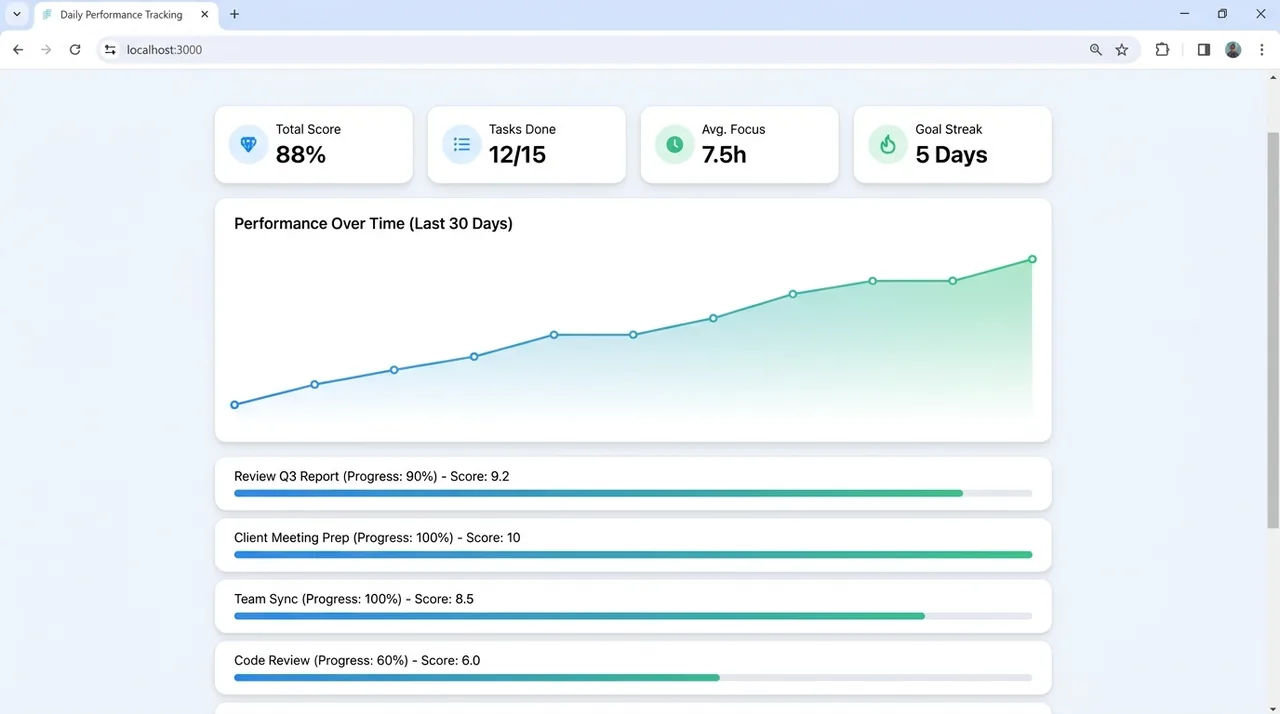
A representative UI concept for this project — illustrative, not a screenshot of the running app. Explore the code and README below.
What this demonstrates
- Primary language: TypeScript (98.9%)
- Multi-language stack (3 languages)
- Last updated 4 months ago
Tech stack
Overview
Daily Performance Portal is a web app project. It is built primarily with TypeScript, CSS, JavaScript. Build daily performance forms out of scored task lines..
Project README
RAHEDEEN™ — Daily Performance Portal
Role-based daily performance-form platform for employees. Built with Next.js 16 (App Router), TypeScript, Tailwind CSS v4, and Prisma ORM on PostgreSQL.
Admins compose performance forms out of scored task lines (dynamic form builder), assign them to teams, and employees fill in a daily submission that is auto-scored into a rating band. Managers review their team's submissions; reports show trends over time.
Stack
| Layer | Tech |
|---|---|
| Frontend + Backend | Next.js 16 App Router (RSC, Server Actions, API routes) |
| Styling | Tailwind CSS v4 |
| ORM / DB | Prisma 7 + PostgreSQL (via @prisma/adapter-pg) |
| Auth | Custom email/phone/whatsapp + password, DB-backed sessions, bcrypt |
Features
- Auth — log in with email, phone, or WhatsApp number + password. Roles: Admin / Manager / Employee. Self-service password change at
/account. - Admin — Form builder (
/admin/forms) — dynamic forms → sections → task lines. Field types: scored count (target vs done), multi-select, select, currency, number, text, boolean, time, date. Per-line marks, fixed/employee targets, day schedules (daily / odd / even / specific weekdays), and rating bands. Deleting anything with history is blocked (archive via the Active toggle instead). - Admin — Users & Teams (
/admin/users,/admin/teams) — full CRUD, role/team assignment, password reset, deactivate. - Employee — Daily form (
/employee) — today's assigned form with only the fields applicable today, live auto-scoring, draft/submit (locks on submit). - Manager — Review (
/manager) — team roster by date, open a submission, mark reviewed + remarks. - Reports (
/admin/reports,/manager/reports) — team leaderboard + per-employee averages over 7 / 30 / 90 days.
Getting started
1. Provision the local database (one time)
sudo -u postgres psql -f scripts/db-setup.sql
Creates role daily_task + database daily_task_dev (with CREATEDB for Prisma's
shadow DB). Using a hosted/shared DB instead? Just set DATABASE_URL in .env.
2. Create tables + seed
npm run db:migrate       # create the schema
npm run db:seed          # teams + demo admin/manager/employee logins
npm run db:seed:forms    # the real Sales & Media forms (from the source sheets)
3. Run
npm run dev # http://localhost:3000
Demo logins (change after first login)
| Role | Login | Password |
|---|---|---|
| Admin | admin@rahedeen.com | admin123 |
| Manager (Sales) | manager@rahedeen.com | manager123 |
| Employee (Sales) | employee@rahedeen.com | employee123 |
| Employee (Media) | media@rahedeen.com | media123 |
Login also works with each account's phone / WhatsApp number.
Scripts
npm run dev— development servernpm run build/npm run start— production build / servenpm run db:migrate·db:seed·db:seed:forms·db:studio·db:generate
Note:
devandbuildshare the.nextfolder. If you runnpm run buildand thennpm run dev(or vice-versa) you may hit stale-manifest errors — delete.nextand restart. Normal usage is one or the other.
Deployment
Requires a Node.js host and a PostgreSQL database.
- Set
DATABASE_URLto the production Postgres connection string. npm ci && npm run db:generatenpx prisma migrate deploy(applies migrations without a shadow DB)npm run build && npm run start(or deploy to a Node platform).
Cookies are secure in production, so serve over HTTPS.
Integrating with another system
This app is self-contained but designed to hand off later:
- Database — point
DATABASE_URLat the shared/other system's Postgres. The schema lives inprisma/schema.prisma; useprisma db pullto introspect an existing DB ormigrateto apply ours. - Auth — currently custom (sessions in the
Sessiontable). To delegate to an external identity system, replacesrc/lib/auth.ts(getCurrentUser/ session logic) — the rest of the app only depends on that module. - API — add route handlers under
src/app/api/*(seeapi/health) to expose or ingest data.
Project layout
prisma/
  schema.prisma        # data model (users, teams, forms, submissions, scoring)
  seed.ts              # demo teams + users
  seedForms.ts         # real Sales + Media forms
scripts/db-setup.sql   # one-time DB provisioning
src/
  lib/                 # prisma, auth, scoring, reports, date, submissionDisplay
  components/          # shared ReportView
  app/(auth)/          # login + auth actions
  app/(app)/           # admin / manager / employee / account (role-guarded)
  app/api/health/      # backend health check
Build status
Auth · Form builder · Employee daily form + auto-scoring · Manager review · Users & Teams admin · Real forms seeded · Reports · Password change — all complete and verified. Production build passes.