Multi-Tenant HR Management SaaS
TypeScript
Multi-Tenant HR Management SaaS
A commercial-grade, multi-tenant HR Management SaaS covering the full employee lifecycle.
Preview
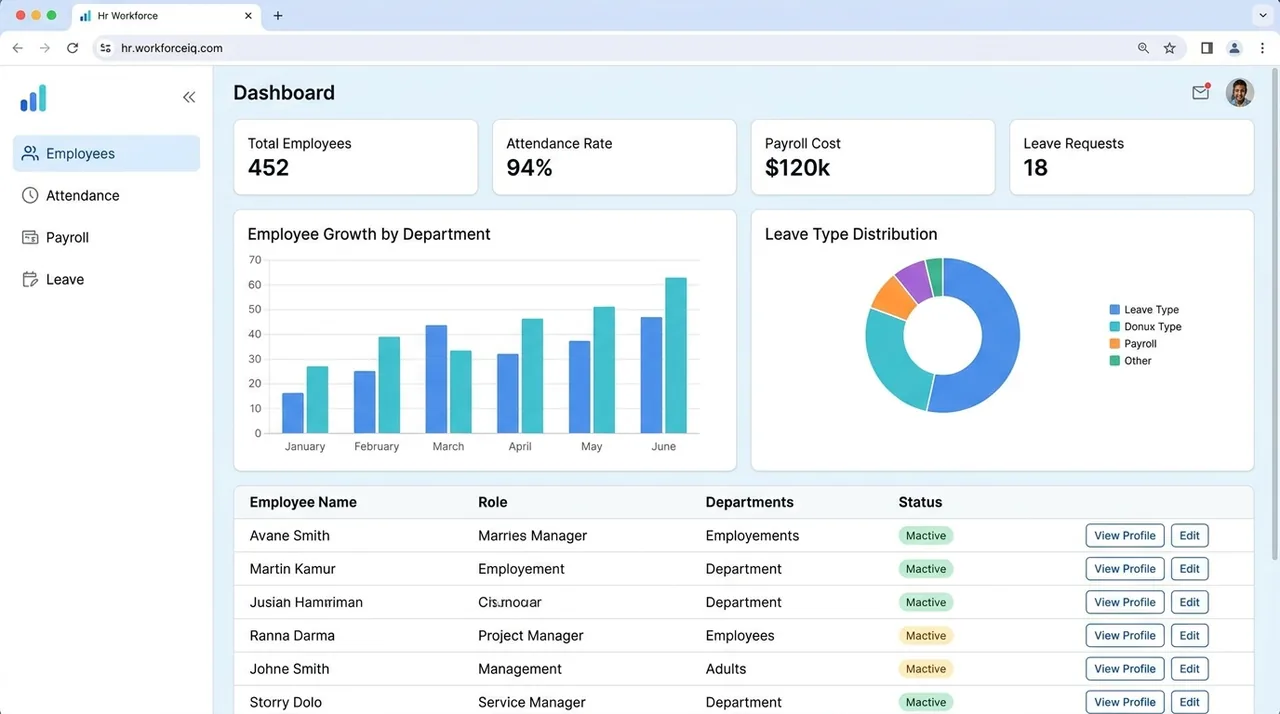
A representative UI concept for this project — illustrative, not a screenshot of the running app. Explore the code and README below.
What this demonstrates
- Multi-tenant, tenant-isolated workspaces
- Admin, HR and employee permissions
- PostgreSQL data layer with PLpgSQL
- Dockerized for deployment
- Modular, domain-driven architecture
Tech stack
Overview
HRM SaaS is a multi-tenant Human Resource Management platform built on a modern Next.js SaaS stack. Each organization gets a tenant-isolated workspace to manage its entire employee lifecycle — onboarding, attendance, leave, payroll, performance, recruitment, learning and documents. It is a full product, not a demo: real database schema (PostgreSQL/PLpgSQL), Docker tooling, and a modular architecture organised around distinct HR domains.
Project README
HRM SaaS — Multi-Tenant SaaS Human Resource Management
A commercial-grade, multi-tenant Human Resource Management System (HRMS) built on a modern Next.js SaaS stack. The platform lets organizations manage their entire employee lifecycle — onboarding, attendance, leave, payroll, performance, recruitment, learning, and documents — under a single tenant-isolated workspace.
Originally bootstrapped from a sales/inventory SaaS, the codebase has been consolidated and re-platformed into a dedicated HR module. See HR_Module_Blueprint.md for the full solution blueprint and product vision.
✨ Features
Core HR Modules
- Employees — employee records, departments, positions, org structure
- Attendance — self check-in/out, attendance calendar, break sessions & penalties
- Leave — leave types, balances, requests, and approval workflows
- Payroll — salary structures & components, payroll periods/runs, payslips, custom columns, employee advances & recovery
- Performance — review cycles, goals, and reviews
- Recruitment — job postings, candidates, and applications
- Learning — courses, modules, enrollments, and certifications
- Documents — document categories and per-employee document storage
Platform Capabilities
- Multi-tenancy — tenant isolation with
Tenant,TenantMember, role-based permissions, invites, and billing - Authentication — NextAuth-based auth with email verification, password reset, and invite onboarding flows
- Role-based access — admin, HR, and employee role separation with scoped views
- Approvals — centralized approval requests linking HR and admin sign-off
- Real-time — WebSocket-powered realtime provider with live notifications
- Notifications — in-app notification poller with read tracking
- Reporting & exports — PDF (jsPDF / pdf-lib) and Excel (ExcelJS) generation
- Activity logging — audit trail of tenant activity
🧱 Tech Stack
| Layer | Technology |
|---|---|
| Framework | Next.js 16 (App Router) + React 18 |
| Language | TypeScript |
| Database | PostgreSQL via Prisma ORM |
| Auth | NextAuth (next-auth) + @auth/prisma-adapter |
| Styling | Tailwind CSS + Radix UI + shadcn-style components |
| Realtime | Custom WebSocket server (ws) |
| Caching / Rate limiting | Redis (ioredis, Upstash) |
| Media | Cloudinary |
| Nodemailer | |
| Validation | Zod + React Hook Form |
| Monitoring | Sentry |
| Docs/Exports | jsPDF, pdf-lib, ExcelJS, pdfjs-dist |
🚀 Getting Started
Prerequisites
- Node.js 20+ (developed on v22)
- PostgreSQL database
- (Optional) Redis instance, Cloudinary account, SMTP credentials
Installation
# Install dependencies
npm install

# Generate the Prisma client and apply migrations
npx prisma generate
npm run db:migrate

# (Optional) Seed the database and create a super admin
npm run db:seed
npm run db:create-admin
Running locally
# Standard Next.js dev server
npm run dev

# Dev server with the WebSocket realtime server
npm run dev:ws
The app runs at http://localhost:3000.
📜 Scripts
| Script | Description |
|---|---|
npm run dev | Start the Next.js dev server |
npm run dev:ws | Start dev with the WebSocket realtime server |
npm run build | Production build |
npm run start | Start the production server (with WebSocket) |
npm run lint | Run ESLint |
npm run db:migrate | Run Prisma dev migrations |
npm run db:push | Push schema to the database |
npm run db:seed | Seed the database |
npm run db:create-admin | Create a super admin user |
npm run db:studio | Open Prisma Studio |
npm run db:reset | Reset the database |
npm run test:security | Run security assertions |
npm run test:security:smoke | Run authorization smoke tests |
📁 Project Structure
app/
├── (public)/          # Public routes — login, onboarding, invite, verify-email, careers, reset-password
├── (tenant)/          # Authenticated tenant workspace
│   ├── admin/         # Tenant admin: approvals, system settings
│   ├── hr/            # HR modules: employees, attendance, leave, payroll,
│   │                  #   performance, recruitment, learning, documents, departments, positions
│   ├── employee/      # Employee self-service & payslips
│   ├── dashboard/     # Tenant dashboard
│   ├── profile/       # User profile
│   ├── settings/      # Workspace settings
│   ├── tenants/       # Tenant management
│   └── users/         # User management
prisma/
├── schema.prisma      # Data model (tenancy, HR, payroll, recruitment, etc.)
├── migrations/        # Migration history
└── seed.ts            # Seed script
scripts/               # Admin & security tooling
📚 Documentation
- HR_Module_Blueprint.md — full HRMS solution blueprint
- DEPLOY.md — deployment guide
- MIGRATIONS.md / MIGRATION_PLAN.md — database migration notes
- SaaS_Architecture_Analysis_2026-03-10.md — architecture analysis
📄 License
Private and proprietary. All rights reserved.