Akhyan SaaS Commerce
TypeScript
Akhyan SaaS Commerce
A SaaS commerce experience connecting storefront, operations and real-time updates.
Preview
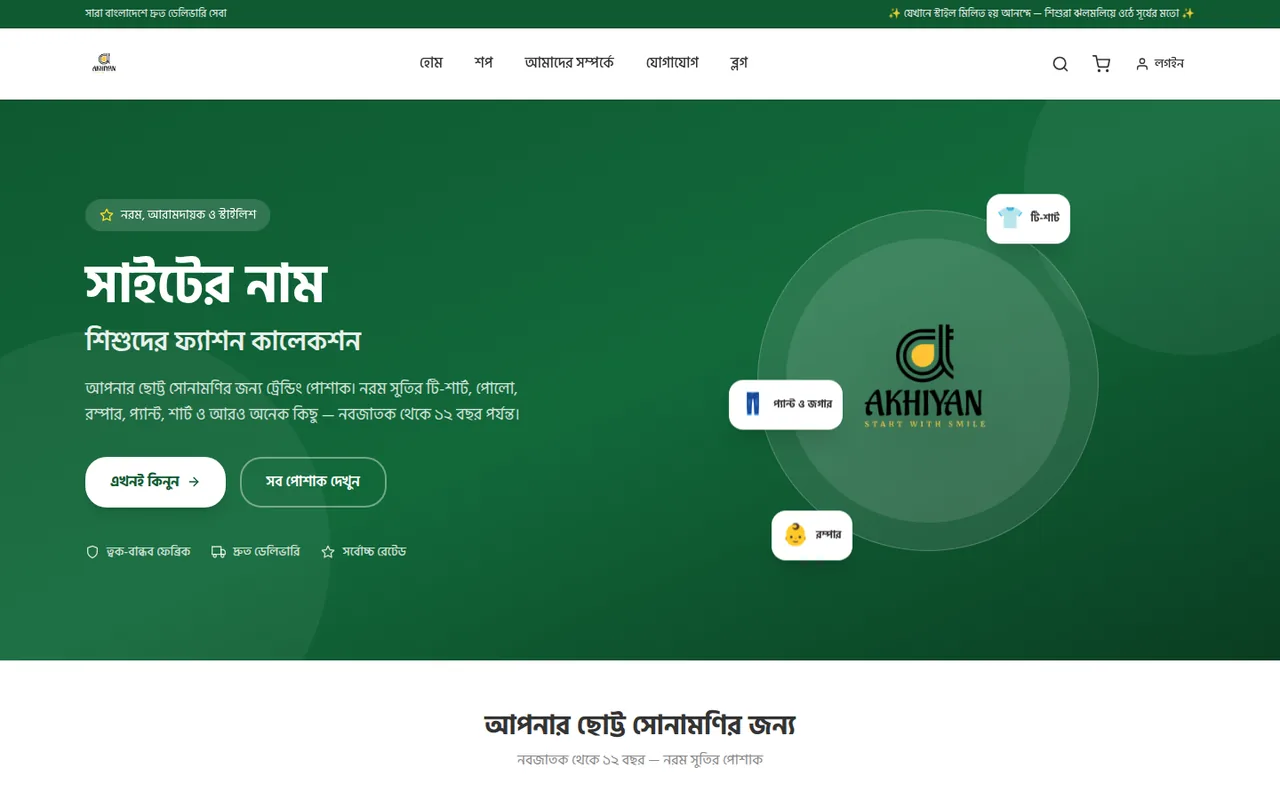
A screenshot of the project’s live deployment. Use “Open live site” to visit it.
What this demonstrates
- Decoupled Next.js and Laravel architecture
- Admin and customer dashboards
- Real-time updates with Laravel Reverb
- Orders, promotions and PDF invoices
Tech stack
Overview
A SaaS e-commerce product with a Next.js 16 and TypeScript storefront connected to a Laravel 13 REST API. MySQL stores commerce data, Sanctum authenticates customers and administrators, and Laravel Reverb powers real-time updates. Product, order and promotion management come together in the admin dashboard.
Project README
Akhiyan BD E-Commerce
A full-stack e-commerce platform for natural herbal products, built with Next.js 16 and Laravel 13.
Tech Stack
| Layer | Technology | Version |
|---|---|---|
| Frontend | Next.js (App Router) | 16.2.2 |
| UI Framework | React | 19.2.4 |
| Language | TypeScript | 5.x |
| Styling | Tailwind CSS | 4.x |
| Backend API | Laravel | 13.0 |
| Database | MySQL | 8.x |
| Auth | Laravel Sanctum | 4.0 |
| Search | Laravel Scout (database driver) | 11.x |
| Real-time | Laravel Reverb (WebSocket) | 1.x |
| Runtime | Node.js | 24.x |
| Runtime | PHP | 8.4 |
| Package Manager | npm | 11.x |
| PHP Packages | Composer | 2.x |
Frontend Libraries
- Framer Motion — Animations (dashboard modals)
- Swiper — Carousel/slider
- React Icons — Icon library (Feather + Font Awesome)
- html2canvas-pro + jsPDF — Invoice PDF generation
- Laravel Echo + Pusher.js — Real-time WebSocket client
Fonts
| Language | Headings | Body |
|---|---|---|
| Bangla (default) | Hind Siliguri | Hind Siliguri |
| English | Playfair Display | Manrope |
| Bangla numerals | LiAbuJMAkkas (custom TTF) | — |
Architecture
mabheshoj/
├── src/                    # Next.js frontend
│   ├── app/                # App Router pages
│   │   ├── page.tsx        # Homepage
│   │   ├── shop/           # Shop page
│   │   ├── products/[slug] # Product detail (dynamic)
│   │   ├── checkout/       # Checkout
│   │   ├── dashboard/      # Admin + customer dashboard
│   │   ├── about/          # Static pages
│   │   ├── contact/
│   │   └── api/            # API routes (revalidation)
│   ├── components/         # React components
│   ├── lib/                # Context providers, API client, hooks
│   ├── i18n/               # Translation files (bn, en)
│   ├── data/               # Static fallback data
│   └── utils/              # Utilities (toBn number converter)
├── backend/                # Laravel REST API
│   ├── app/
│   │   ├── Models/         # Eloquent models
│   │   ├── Http/Controllers/Api/  # API controllers
│   │   └── Events/         # WebSocket events
│   ├── database/
│   │   ├── migrations/     # Database schema
│   │   └── seeders/        # Initial data
│   └── routes/api.php      # API routes
├── public/                 # Static assets
├── next.config.ts          # Next.js configuration
├── package.json            # Node dependencies
└── tsconfig.json           # TypeScript config
Key Design Decisions
- Decoupled architecture — Next.js frontend communicates with Laravel API via REST
- ISR (Incremental Static Regeneration) — Pages are statically generated and revalidated every 5 minutes
- On-demand revalidation — Backend triggers Next.js cache purge after admin changes
- Optimistic UI — Dashboard CRUD operations update the UI instantly without re-fetching
- Dual language — Bangla/English toggle with automatic font switching
- WebSocket live refresh — Product/category changes push updates via Laravel Reverb
Prerequisites
Make sure you have the following installed:
- PHP >= 8.3
- Composer >= 2.x
- Node.js >= 20.x
- npm >= 10.x
- MySQL >= 8.x (or MariaDB)
- Git
Recommended: Laragon (Windows) or Herd (macOS) for local PHP/MySQL setup.
Getting Started
1. Clone the repository
git clone https://github.com/your-username/mabheshoj.git
cd mabheshoj
2. Install frontend dependencies
npm install
3. Set up the backend
cd backend
composer install
4. Configure environment files
Frontend — create .env.local in the project root:
NEXT_PUBLIC_API_URL=http://localhost:8001/api/v1

# Laravel Reverb WebSocket (optional, for real-time updates)
NEXT_PUBLIC_REVERB_APP_KEY=your-reverb-app-key
NEXT_PUBLIC_REVERB_HOST=localhost
NEXT_PUBLIC_REVERB_PORT=6001

# Revalidation secret (must match backend)
REVALIDATE_SECRET=your-secret-here
Backend — copy and edit .env in the backend/ directory:
cd backend
cp .env.example .env
php artisan key:generate
Edit backend/.env with your database credentials:
DB_CONNECTION=mysql
DB_HOST=127.0.0.1
DB_PORT=3306
DB_DATABASE=mabhesojdb
DB_USERNAME=root
DB_PASSWORD=

CACHE_STORE=database
SANCTUM_STATEFUL_DOMAINS=localhost:3000
5. Set up the database
Create the MySQL database:
CREATE DATABASE mabhesojdb CHARACTER SET utf8mb4 COLLATE utf8mb4_unicode_ci;
Run migrations and seeders:
cd backend
php artisan migrate
php artisan db:seed
6. Create the storage symlink
cd backend
php artisan storage:link
This makes uploaded files (product images) accessible via /storage/ URLs.
7. Run the development servers
From the project root:
npm run dev
This starts three processes concurrently:
| Service | URL | Description |
|---|---|---|
| Next.js | http://localhost:3000 | Frontend |
| Laravel API | http://localhost:8001 | REST API |
| Laravel Reverb | ws://localhost:6001 | WebSocket server |
Alternatively, run them individually:
# Terminal 1 — Frontend
npm run dev:next

# Terminal 2 — API
cd backend && php artisan serve --port=8001

# Terminal 3 — WebSocket (optional)
cd backend && php artisan reverb:start
8. Build for production
npm run build
npm start
API Endpoints
All routes are prefixed with /api/v1/.
Public
| Method | Endpoint | Description |
|---|---|---|
| GET | /products | Paginated product list |
| GET | /products/{slug} | Single product |
| GET | /products/top-rated | Top selling products |
| GET | /products/search?q= | Full-text search |
| GET | /categories | All categories |
| GET | /flash-sales/active | Current flash sale |
| GET | /banners | Homepage banners |
| GET | /settings | Site settings |
| POST | /orders | Create order (guest checkout) |
Protected (Bearer token)
| Method | Endpoint | Description |
|---|---|---|
| POST | /auth/register | Register |
| POST | /auth/login | Login |
| GET | /auth/user | Current user |
| GET | /orders | User's orders |
| POST | /reviews | Submit review |
Admin
All admin endpoints require authentication with an admin-role user. Full CRUD for: products, categories, brands, orders, users, reviews, flash-sales, coupons, banners, menus, blog posts, landing pages, shipping zones, and site settings.
Features
- Product catalog with categories, brands, and search
- Flash sales with countdown timer
- Shopping cart with guest checkout
- Order management with status tracking
- Customer reviews and ratings
- Coupon/discount system
- Admin dashboard with full CRUD
- PDF invoice generation
- Dual language (Bangla/English) with font switching
- Real-time updates via WebSocket
- SEO optimised with JSON-LD, meta tags, sitemap
- Mobile-responsive design
License
Private project. All rights reserved.