E-commerce Futurebd
PHP
E-commerce Futurebd
FutureBD — a Laravel 11 e-commerce platform with an Inertia.js + React frontend, backed by MySQL. Social login via Socialite, Playwright end-to-end tests.
Preview
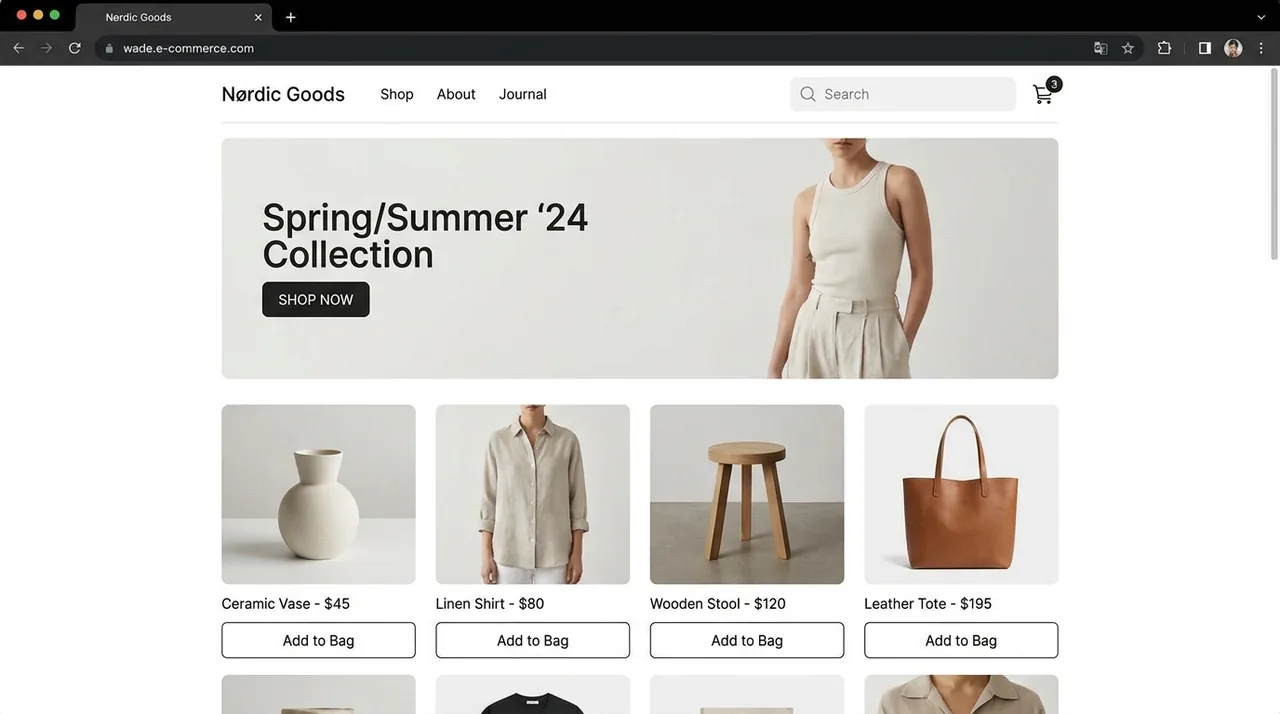
A representative UI concept for this project — illustrative, not a screenshot of the running app. Explore the code and README below.
What this demonstrates
- Primary language: TypeScript (50.5%)
- Multi-language stack (7 languages)
- Tagged: ecommerce, inertiajs, laravel, mysql
- Last updated 4 months ago
Tech stack
Overview
E-commerce Futurebd is an online storefront with product browsing and a shopping experience. It is built primarily with TypeScript, PHP, Blade. FutureBD — a Laravel 11 e-commerce platform with an Inertia.js + React frontend, backed by MySQL. Social login via Socialite, Playwright end-to-end tests..
Project README


FutureBD — E-Commerce Platform
A full-stack e-commerce application built on Laravel 11 with an Inertia.js + React frontend. It serves a customer-facing storefront and a role-gated admin dashboard from a single codebase — there is no separate API layer, because Inertia passes props straight from Laravel controllers into React pages.
The app is also an installable PWA, with a web manifest, cached icons, and an offline fallback page.
Features
Storefront
- Catalog — products with variants, categories, brands, and taxonomy-based browsing
- Flash deals — time-boxed promotional pricing
- Cart & checkout — orders with line items, plus coupon and discount support
- Reviews & ratings on products
- Returns — customer-initiated return requests
- Customer accounts — order history and profile management
- Multi-language — database-backed translations
- Content pages — CMS-managed static pages, hero banners, and footer settings
Admin dashboard
- Analytics overview of store activity
- Product management — products, variants, categories, brands
- Inventory — stock movements with an auditable history
- Order management and return-request handling
- Customer & user management
- Merchandising — coupons, flash deals, hero banners
- Notifications
Authentication
Three sign-in paths, all session-based:
- Email and password
- Phone OTP — one-time codes (
PhoneLoginCode) - Social login — Google and Facebook via Laravel Socialite
Access is gated by an EnsureUserHasRole middleware across four roles: super_admin, admin, moderator, and customer.
Tech stack
| Layer | Technology |
|---|---|
| Backend | Laravel 11, PHP 8.2+ |
| Frontend | React 18, TypeScript 5, Inertia.js 2 |
| Styling | Tailwind CSS 3, shadcn/ui, Lucide icons |
| Build | Vite 6, laravel-vite-plugin |
| Data | TanStack Query, Zod |
| Routing | Ziggy (Laravel routes in JS), React Router |
| Testing | Vitest, PHPUnit |
| Database | MySQL (or SQLite) |
Requirements
- PHP 8.2+ with
mbstring,xml,curl,zip,gd,bcmath,intl, andmysql(orsqlite3) - Composer
- Node.js 18+ and npm
- MySQL — or SQLite, which needs no server
Getting started
1. Install dependencies
composer install
npm install
2. Configure the environment
cp .env.example .env
php artisan key:generate
.env.example defaults to SQLite, which is the quickest way to get running:
touch database/database.sqlite
To use MySQL instead, point the DB_* variables at your database. On Debian/Ubuntu, setup-local.sh installs PHP and MySQL and provisions a local database and user for you:
sudo bash setup-local.sh
Note on
.env.local— whenAPP_ENV=local, Laravel prefers.env.localover.env. If a setting seems to be ignored, check whether a.env.localis shadowing it. Every.env*file except.env.exampleis gitignored, so real credentials stay out of the repository.
3. Migrate and seed
php artisan migrate --seed
This runs the migrations and seeds baseline data, including an admin user and footer settings.
4. Run the app
npm run dev:full
That starts php artisan serve and the Vite dev server together, after which the app is available at http://localhost:8000. To run them separately, use php artisan serve in one shell and npm run dev in another.
Scripts
| Command | What it does |
|---|---|
npm run dev | Vite dev server with HMR |
npm run dev:full | Vite and php artisan serve together |
npm run build | Production asset build |
npm run lint | ESLint |
npm run test | Vitest suite |
npm run test:watch | Vitest in watch mode |
php artisan test | PHPUnit suite |
Theming
Light and dark themes are driven by HSL custom properties in src/index.css, consumed through Tailwind (darkMode: "class"). The active theme is applied to the <html> element before first paint by an inline script in app.blade.php, so there is no flash of the wrong theme on load.
That <html> class is the single source of truth for theme state. Components read it through the useTheme() hook in src/lib/theme.ts, which keeps every consumer in sync. When adding UI, use the semantic tokens (bg-card, text-muted-foreground, bg-success, and so on) rather than hardcoded colors like bg-white, which will not adapt to dark mode.
Project structure
app/
  Enums/UserRole.php        Role definitions
  Http/Controllers/         Storefront, dashboard, and auth controllers
  Http/Middleware/          Role gate, Inertia shared props, PWA headers
  Models/                   Eloquent models
database/
  migrations/               Schema migrations
  seeders/                  Baseline and dashboard seed data
resources/views/            Blade entry points (app.blade.php)
routes/web.php              Application routes
src/
  components/layout/        StorefrontLayout, DashboardLayout
  components/ui/            shadcn/ui primitives
  lib/theme.ts              Theme state
  pages/                    Inertia page components
  index.css                 Design tokens (light and dark)
pwa/                        PWA icons and manifest assets
Known issues
npm run buildcurrently fails.vite.config.tslistsresources/js/app.tsxas an entry point, but that file is not present in the repository. Type-checking and the dev server are unaffected.
License
Released under the MIT License.