Hadith Main AndroidApp
Dart
Hadith Main AndroidApp
Offline Flutter app for reading Hadith in Bengali and Arabic from a pre-bundled SQLite database.
Preview
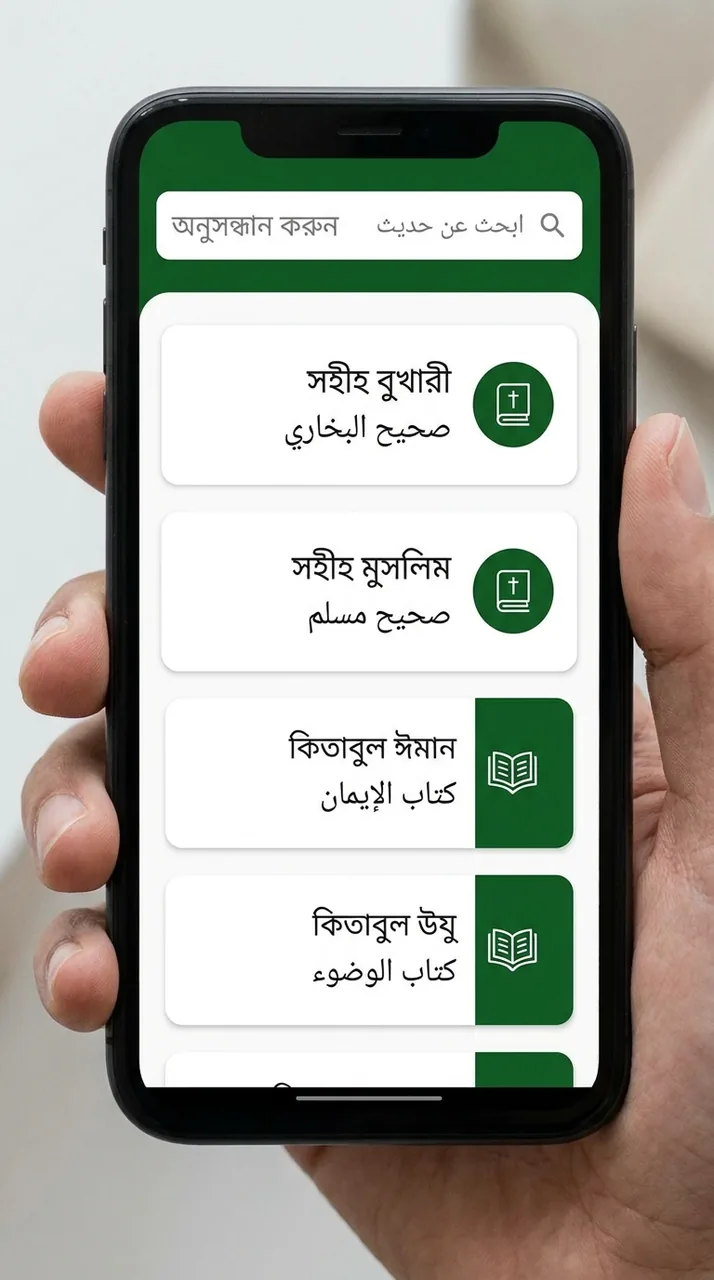
A representative UI concept for this project — illustrative, not a screenshot of the running app. Explore the code and README below.
What this demonstrates
- Primary language: Dart (49.7%)
- Multi-language stack (9 languages)
- Last updated 4 months ago
Tech stack
Overview
Hadith Main AndroidApp is a cross-platform mobile application. It is built primarily with Dart, C++, CMake. Offline Flutter app for reading Hadith in Bengali and Arabic from a pre-bundled SQLite database..
Project README
Hadith App
A Flutter application for reading collections of Hadith in Bengali (বাংলা) and Arabic (العربية), built on a fully offline, pre-bundled SQLite database.
The app is organised around a three-level reading flow — Books → Chapters → Hadiths — with each hadith presented alongside its narrator, Arabic text, Bengali translation, and authenticity grade.
Table of Contents
- Features
- Screens & Navigation Flow
- Tech Stack
- Architecture
- Project Structure
- The Database
- Getting Started
- Building for Release
- Code Generation
- Known Issues & Roadmap
- Contributing
- License
Features
- Offline first. The complete Hadith corpus ships as a pre-built SQLite database that is copied out of the app bundle on first launch. No network connection is ever required.
- Bilingual text. Every hadith carries both the original Arabic (with and without diacritics) and its Bengali translation.
- Authenticity grades. Hadiths expose a grade (e.g. Sahih, Hasan, Da'if) with a per-grade colour, rendered from the
grade_colorhex value stored in the database. - Sectioned reading view. Chapters are broken into sections, and the hadith page interleaves section headers with the hadiths belonging to them for a natural reading order.
- Per-hadith actions. A bottom sheet offers copy, share, save, report, and add actions on an individual hadith.
- Clean, dedicated theme. A teal-and-slate palette (
AppColors) with Google Fonts typography.
Screens & Navigation Flow
| Route | Page | Purpose |
|---|---|---|
/ | Home | Lists all Hadith books (Bukhari, Muslim, …) with title, Arabic title, and hadith count. |
/chapters | ChapterPage | Lists the chapters of the selected book, with each chapter's hadith range. |
/hadiths | HadithPage | Renders the selected chapter's sections and hadiths as a single combined list. |
Navigation is handled by GetX named routes, defined in lib/routes/app_pages.dart. Each route declares a binding that lazily constructs that feature's datasource, repository, use case, and controller — so a feature's dependencies exist only while the user is on that screen.
Arguments are passed between screens via Get.arguments. The hadith page, for example, expects a map containing bookId, chapterId, bookTitle, chapterTitle, and abvrCode.
Tech Stack
| Concern | Package | Version |
|---|---|---|
| Framework | Flutter (Dart SDK) | ^3.7.0 |
| State management, DI, routing | get | ^4.7.2 |
| Database ORM | drift | ^2.27.0 |
| SQLite engine | sqlite3_flutter_libs | ^0.5.34 |
| SQLite (secondary) | sqflite | ^2.4.2 |
| Filesystem paths | path_provider, path | ^2.1.5, ^1.9.1 |
| Typography | google_fonts | ^6.2.1 |
| Codegen | drift_dev, build_runner | ^2.27.0 |
| Linting | flutter_lints | ^5.0.0 |
Architecture
The codebase follows Clean Architecture, sliced by feature. Every feature (home, chapter, hadith) contains the same three layers, and dependencies only ever point inward:
presentation  ──►  domain  ◄──  data
 (GetX             (entities,      (models,
  controllers,      repository      datasources,
  pages,            interfaces,     repository
  widgets)          use cases)      implementations)
domain— Pure Dart. Holds the entities (Hadith,Section,Chapter,HadithBook), abstract repository interfaces, and single-purpose use cases such asGetHadithsByChapterUseCase. It knows nothing about Flutter, GetX, or SQLite.data— Implements the domain's repository interfaces. Models extend their domain entity and add afromMapfactory that maps raw database columns onto typed fields. Datasources issue the actual SQL against Drift.presentation— GetX controllers expose reactive state (RxList,RxBool) that the pages observe. Controllers depend on use cases, never on datasources directly.
Dependency injection happens in lib/core/bindings/. The AppDatabase instance is registered once at startup with Get.put in lib/main.dart, and each binding wires the chain for its feature:
final db = Get.find<AppDatabase>();
Get.lazyPut(() => HadithBookLocalDatasource(db));
Get.lazyPut(() => HadithBookRepositoryImpl(Get.find<HadithBookLocalDatasource>()));
Get.lazyPut(() => GetAllBooksUseCase(Get.find<HadithBookRepositoryImpl>()));
Get.lazyPut(() => HomeController(Get.find<GetAllBooksUseCase>()));
Project Structure
lib/
├── main.dart                     # Entry point: initialises bindings, registers AppDatabase
├── main_app.dart                 # Root GetMaterialApp widget
├── routes/
│   └── app_pages.dart            # Named routes + their bindings
├── core/
│   ├── bindings/                 # Per-feature GetX dependency injection
│   ├── constants/
│   │   └── app_colors.dart       # Palette: primary #1AA483, text #35414D
│   ├── helper_functions/
│   │   └── helper_functions.dart # hexToColor() for grade colours
│   └── services/
│       ├── database_service.dart # Drift AppDatabase + asset-copy bootstrap
│       └── database_service.g.dart  # Generated — do not edit by hand
└── features/
    ├── home/                     # Book listing
    ├── chapter/                  # Chapter listing
    └── hadith/                   # Section + hadith reading view
        ├── data/
        │   ├── datasources/
        │   ├── models/
        │   └── repositories/
        ├── domain/
        │   ├── entities/
        │   ├── repositories/
        │   └── usecases/
        └── presentation/
            ├── controllers/
            ├── pages/
            └── widgets/

assets/
├── database/                     # ⚠️  Must contain hadith_bn_test.db — see below
└── icons/                        # save, copy, send, report, add, share
The Database
How it works
The app ships a pre-populated SQLite file rather than building tables at runtime. On first launch, database_service.dart copies it from the asset bundle into the application documents directory, then opens it with Drift:
final dbFolder = await getApplicationDocumentsDirectory();
final file = File(p.join(dbFolder.path, 'hadith_bn_test.db'));

if (!await file.exists()) {
  final byteData = await rootBundle.load('assets/database/hadith_bn_test.db');
  await file.writeAsBytes(/* … */);
}

return NativeDatabase.createInBackground(file);
Because the copy is guarded by file.exists(), it runs exactly once per install. Queries are issued as raw SQL through Drift's customSelect, and @DriftDatabase() is declared with no table classes — Drift is used purely as a query executor over the existing schema.
⚠️ The database file is NOT in this repository
assets/database/hadith_bn_test.db is not committed. Until you supply it:
flutter run/flutter buildfails withno file or variants found for asset directory - assets/database, becausepubspec.yamldeclares that directory as an asset.- Even with the directory present but empty, the app throws at launch when
rootBundle.loadcannot find the file.
To run the app you must place your hadith_bn_test.db at assets/database/hadith_bn_test.db. If you want the database version-controlled, add it through Git LFS rather than committing it directly.
Expected schema
The database must expose four tables with these columns, since the datasources and fromMap factories read them by name:
books
| Column | Notes |
|---|---|
id | Primary key |
title | Bengali title |
title_ar | Arabic title |
number_of_hadis | Total hadith count |
abvr_code | Short code (e.g. bukhari) |
book_name | Internal name |
book_descr | Description |
chapter
| Column | Notes |
|---|---|
id, book_id, chapter_id | Identifiers; queried as WHERE book_id = … |
title, book_name | Display text |
hadis_range | e.g. 1 – 58 |
number | Chapter number |
section
| Column | Notes |
|---|---|
id, book_id, chapter_id, section_id | Identifiers |
title, preface, number | Display text |
sortOrder | Ordering (note the camelCase column name) |
hadith
| Column | Notes |
|---|---|
id, book_id, chapter_id, section_id, hadith_id, hadith_key | Identifiers |
narrator | Chain of narration |
ar, ar_diacless | Arabic, with and without diacritics |
bn | Bengali translation |
note | Supplementary note |
grade_id, grade, grade_color | Authenticity; grade_color is a hex string |
Sections and hadiths are joined in Dart, not SQL — HadithController.buildDisplayList() fetches both lists and matches hadiths to sections on section_id to build the combined reading list.
Getting Started
Prerequisites
- Flutter SDK on the stable channel, with Dart
^3.7.0 - Android Studio / Xcode for the platform you're targeting
- The
hadith_bn_test.dbdatabase file (see above)
Setup
# 1. Clone
git clone https://github.com/ilhaansiddique-coder/hadith-main-androidApp.git
cd hadith-main-androidApp

# 2. Supply the database (required — the app will not build without it)
cp /path/to/your/hadith_bn_test.db assets/database/

# 3. Install dependencies
flutter pub get

# 4. Generate the Drift code
dart run build_runner build --delete-conflicting-outputs

# 5. Run
flutter run
Supported platforms
Scaffolding is present for Android, iOS, Web, Windows, macOS, and Linux. In practice the app targets Android and iOS — the sqlite3_flutter_libs / NativeDatabase combination and the documents-directory asset copy do not work on Flutter Web without a separate WASM setup.
Building for Release
flutter build apk --release          # Android APK
flutter build appbundle --release    # Android App Bundle (Play Store)
flutter build ios --release          # iOS
Before publishing: the Android
applicationIdandnamespaceare still the Flutter defaults,com.example.hadith_app(seeandroid/app/build.gradle.kts). Google Play rejects any package undercom.example, so change it to a domain you control. You will also need to configure a signing keystore — do not commit the keystore orkey.properties.
Code Generation
database_service.g.dart is generated by Drift. Regenerate it whenever database_service.dart changes:
# One-off
dart run build_runner build --delete-conflicting-outputs

# Watch mode during development
dart run build_runner watch --delete-conflicting-outputs
Never edit *.g.dart files by hand — your changes will be overwritten.
Known Issues & Roadmap
- Ship the database. Add
hadith_bn_test.dbvia Git LFS, or document a download step, so the project builds from a clean clone. - Parameterise SQL. The datasources build queries with string interpolation (
'… WHERE book_id = $bookId'). The values areints from internal navigation, so this is not currently exploitable, but Drift'sVariablebindings are the safer and more idiomatic form. - Rename the package from
com.example.hadith_appbefore any store release. - Handle the empty state in
buildDisplayList(). It early-returns unless bothhadithsandsectionsare non-empty, so a chapter with hadiths but no sections renders nothing. - Add tests. There is no
test/directory yet; thedomainlayer is pure Dart and the natural place to start. - Wire up the bottom-sheet actions (save, share, report, add) to real behaviour.
- Search across hadith text, and bookmarks persisted to a user table.
Contributing
- Fork the repository and create a branch off
main. - Keep the layering intact — presentation depends on domain, domain depends on nothing.
- Run
flutter analyzeand make sure it's clean before opening a pull request. - Regenerate Drift code rather than editing
.g.dartfiles.
License
No license has been specified for this project yet. Without one the work is All Rights Reserved by default, and others have no legal right to use, copy, or distribute it. If you intend the project to be open source, add a LICENSE file — MIT and Apache-2.0 are the common choices.